
This tutorial takes a published phylogenomic dataset from download to a concatenated supermatrix, using only a phone. You will:
- Download the dataset.
- Summarize the alignments.
- Filter out poorly sampled loci.
- Trim sites with too much missing data.
- Concatenate the loci into a supermatrix with a partition file.
It follows the Build a phylogenomic supermatrix workflow on the SEGUI home screen, with one extra trimming step.
Before you start
Section titled “Before you start”- A phone or tablet with Android 8.0 or newer, or iOS or iPadOS 15.0 or newer.
- SEGUI v1.2.0 or newer. See GUI installation.
- About 700 MB of free storage for SEGUI's working copy of the dataset and the output of each step.
The dataset
Section titled “The dataset”The data are the ultraconserved element (UCE) alignments of shrews from Esselstyn et al. 2021, archived on Zenodo for the SEGUL publication.
| Record | zenodo.org/records/6459213 |
| File | esselstyn_et_al_2021_uce_aln.zip, 14.6 MB |
| Content | 4,040 NEXUS alignments, one per UCE locus |
| Taxa | 102 |
| License | CC BY 4.0 |
1. Download the dataset
Section titled “1. Download the dataset”- Open zenodo.org/records/6459213 in Chrome.
- Scroll to Files and select Download next to
esselstyn_et_al_2021_uce_aln.zip. - Chrome saves the file to the Downloads folder. You do not need to open or extract it.
- Open zenodo.org/records/6459213 in Safari.
- Scroll to Files and select Download next to
esselstyn_et_al_2021_uce_aln.zip. Select Download again if Safari asks. - Safari saves the file to the Downloads folder in the Files app, in iCloud Drive or On My iPhone. Do not tap the file there: Files would extract it, and SEGUI reads the archive as it is.
2. Summarize the alignments
Section titled “2. Summarize the alignments”Start with summary statistics, so the filtering thresholds come from the data.
Open the tool and add the dataset
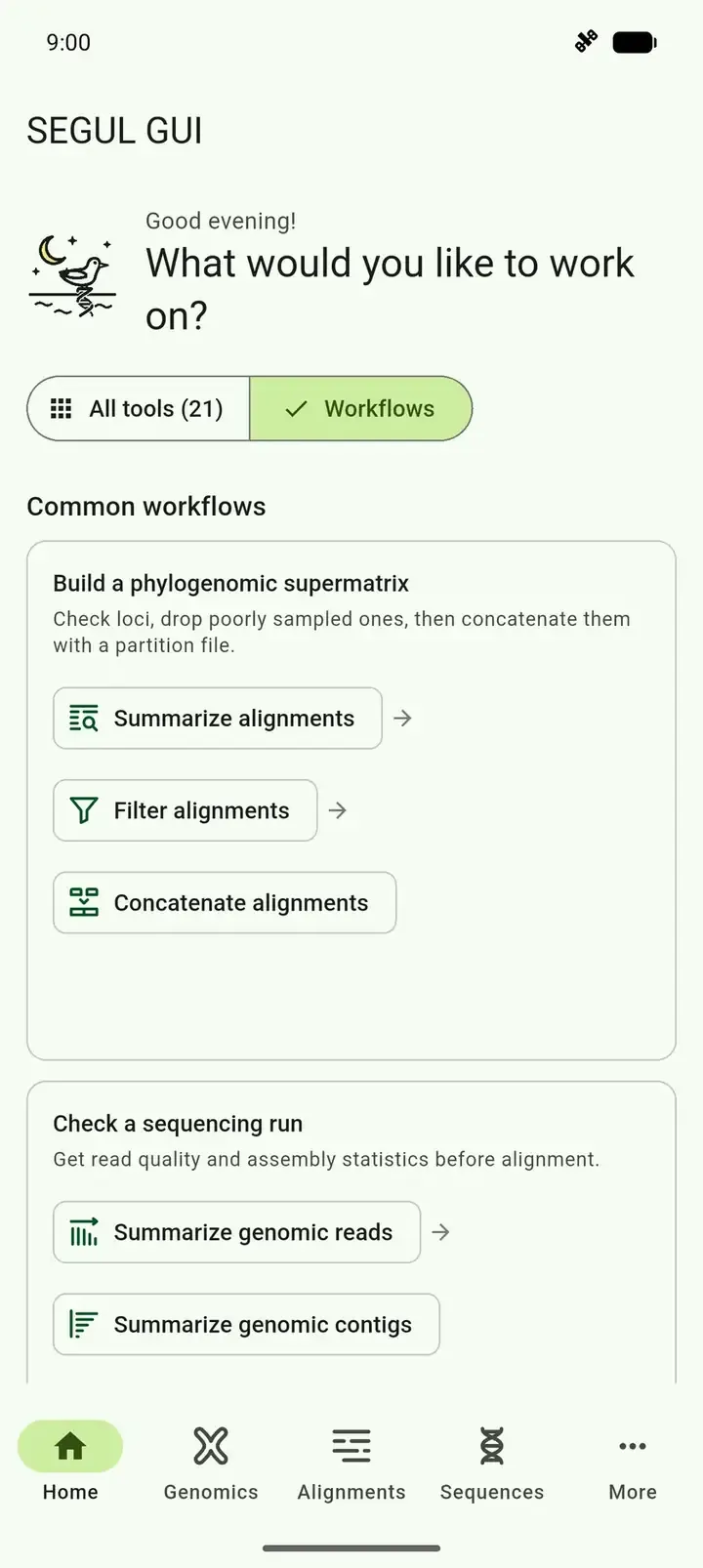
Section titled “Open the tool and add the dataset”Open SEGUI. On the home screen, select Workflows.
Under Build a phylogenomic supermatrix, select Summarize alignments.
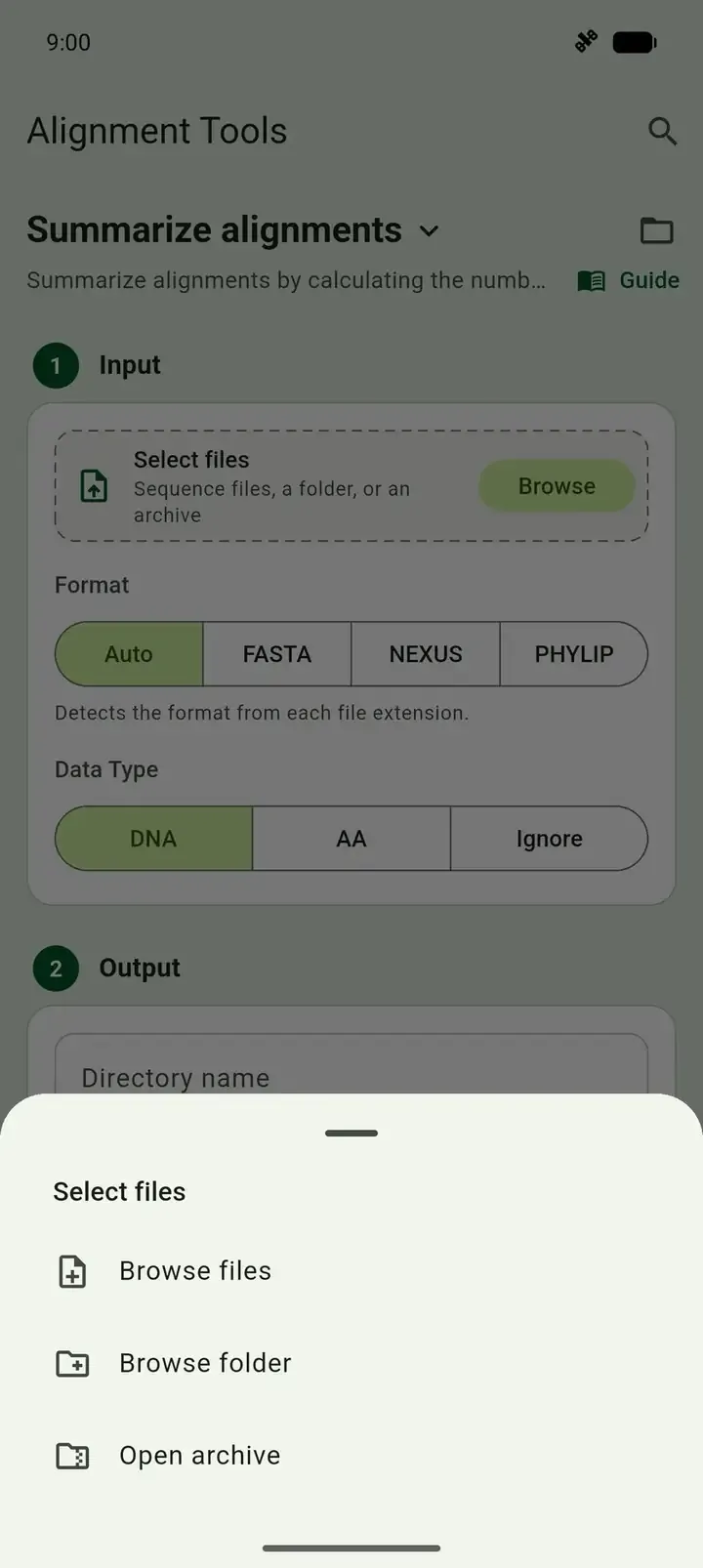
In the Input card, select Browse, then Open archive.
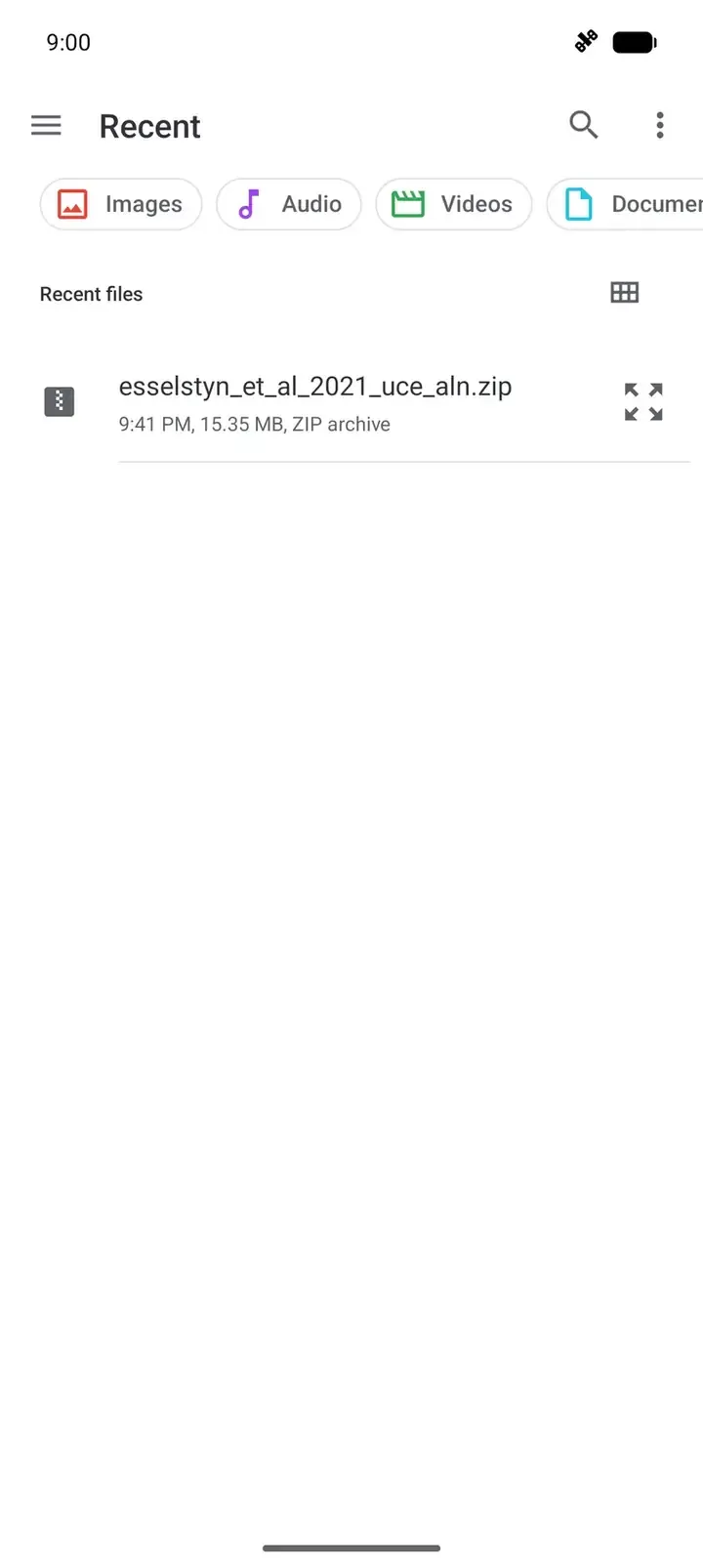
Pick
esselstyn_et_al_2021_uce_aln.zip:The system file picker opens on Recent, which lists the download. If it is not there, open the menu and select Downloads. Tap the zip file.
The Files picker opens. Select Browse, open Downloads, and tap the zip file.
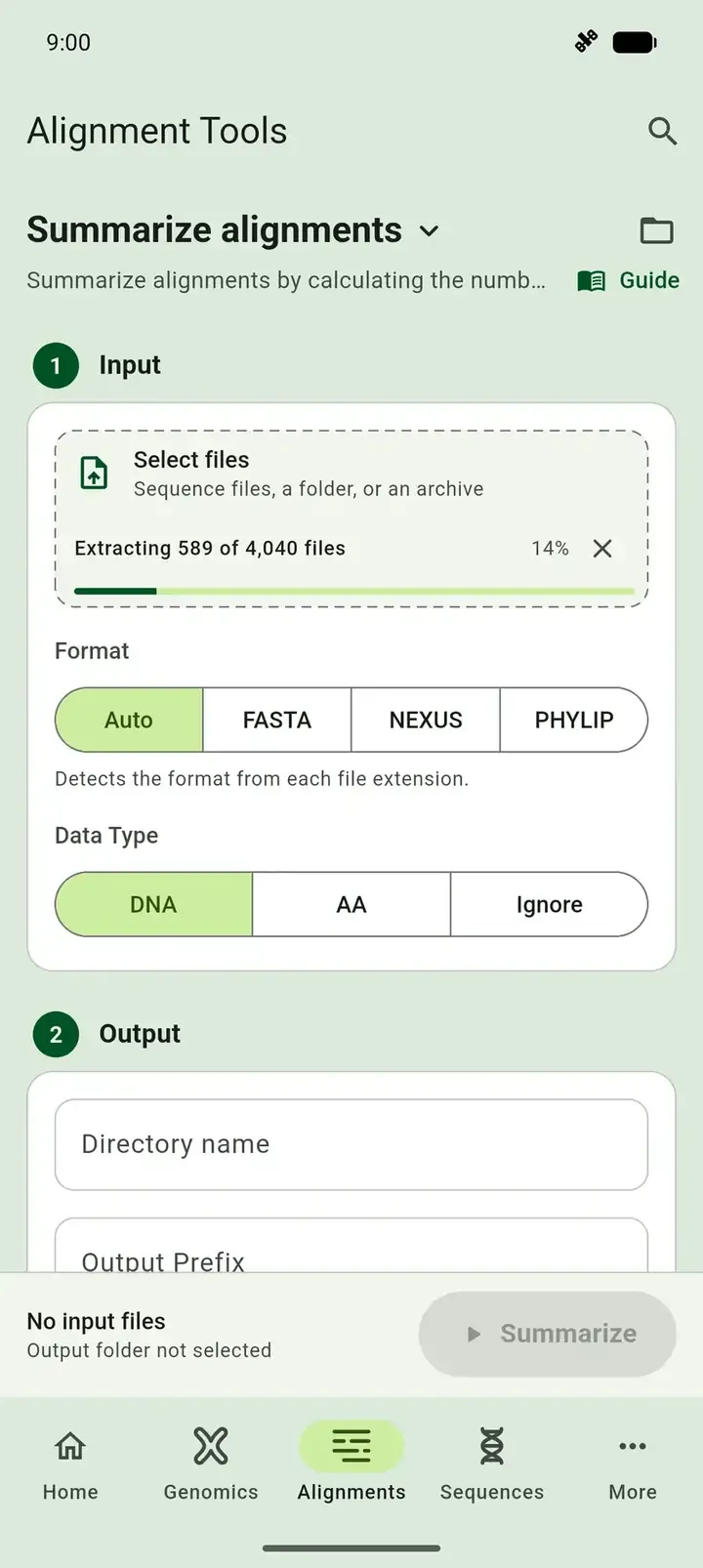
Wait while SEGUI extracts the archive. The input card then shows 4040 files selected.
Set the output and run
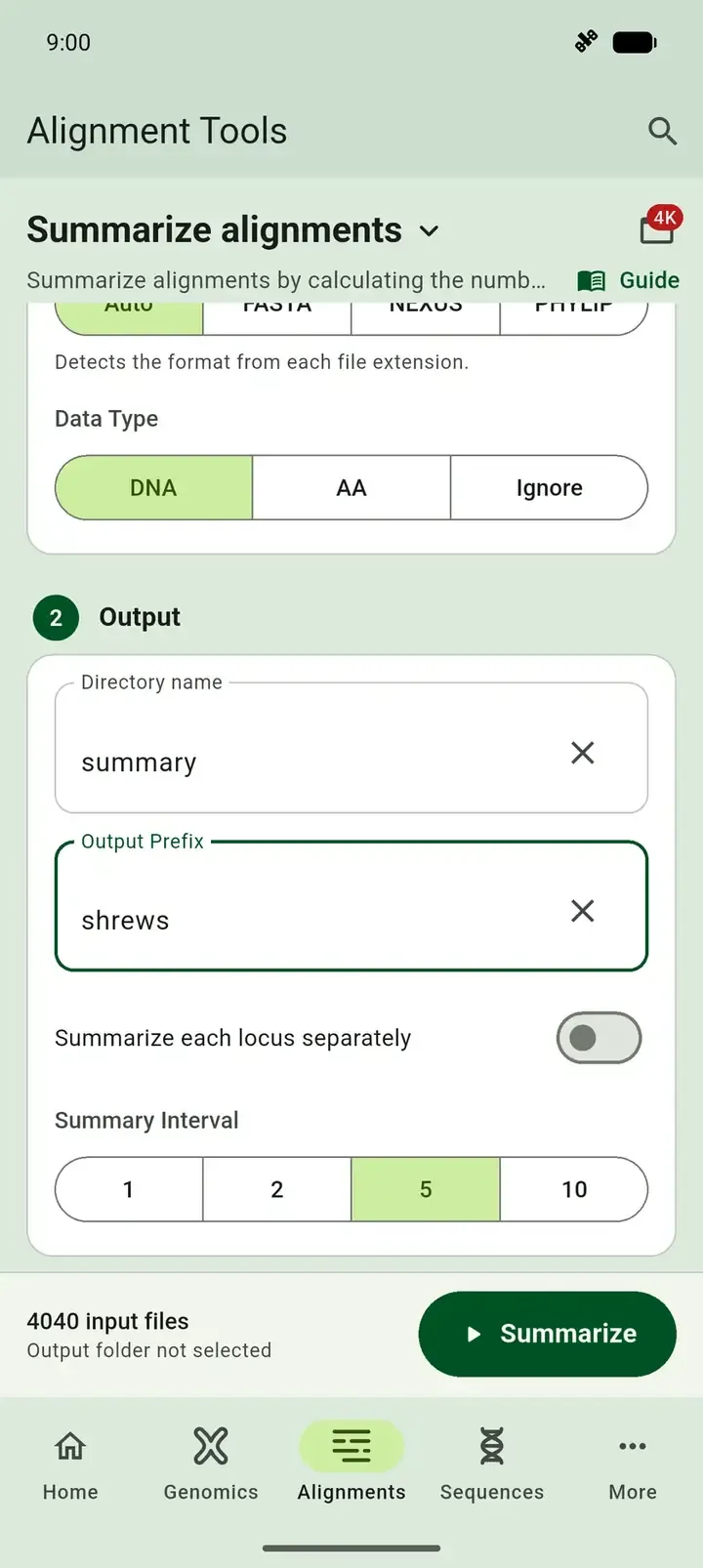
Section titled “Set the output and run”- Scroll to the Output card. Enter a Directory name, such as
summary. - Enter an Output Prefix, such as
shrews. It starts the name of each output file, and the run button stays off without it. - Under Summary Interval, select 5. The matrix completeness chart then steps by 5%.
- Select Summarize.
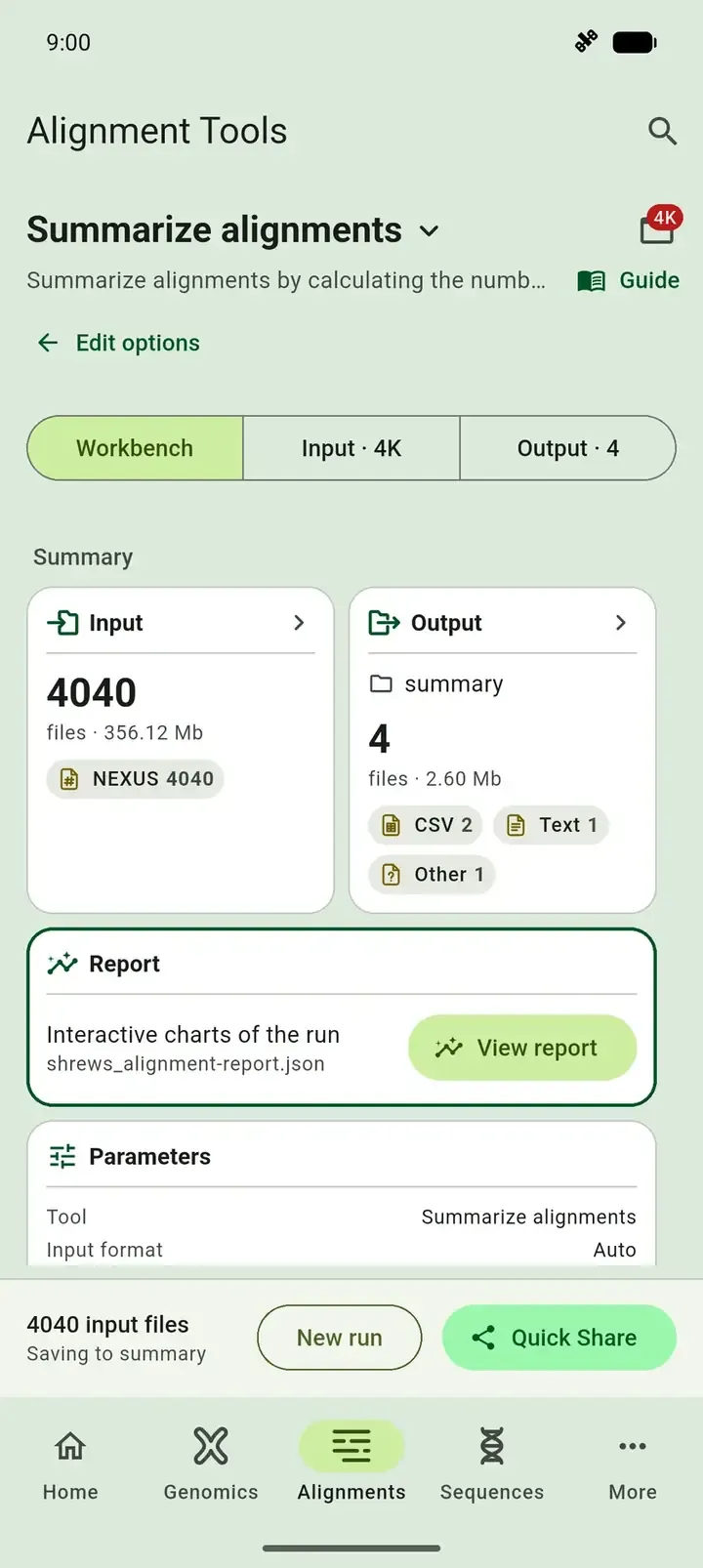
When the run finishes, SEGUI opens the Workbench tab. Select View report on the Report card.
Read the report
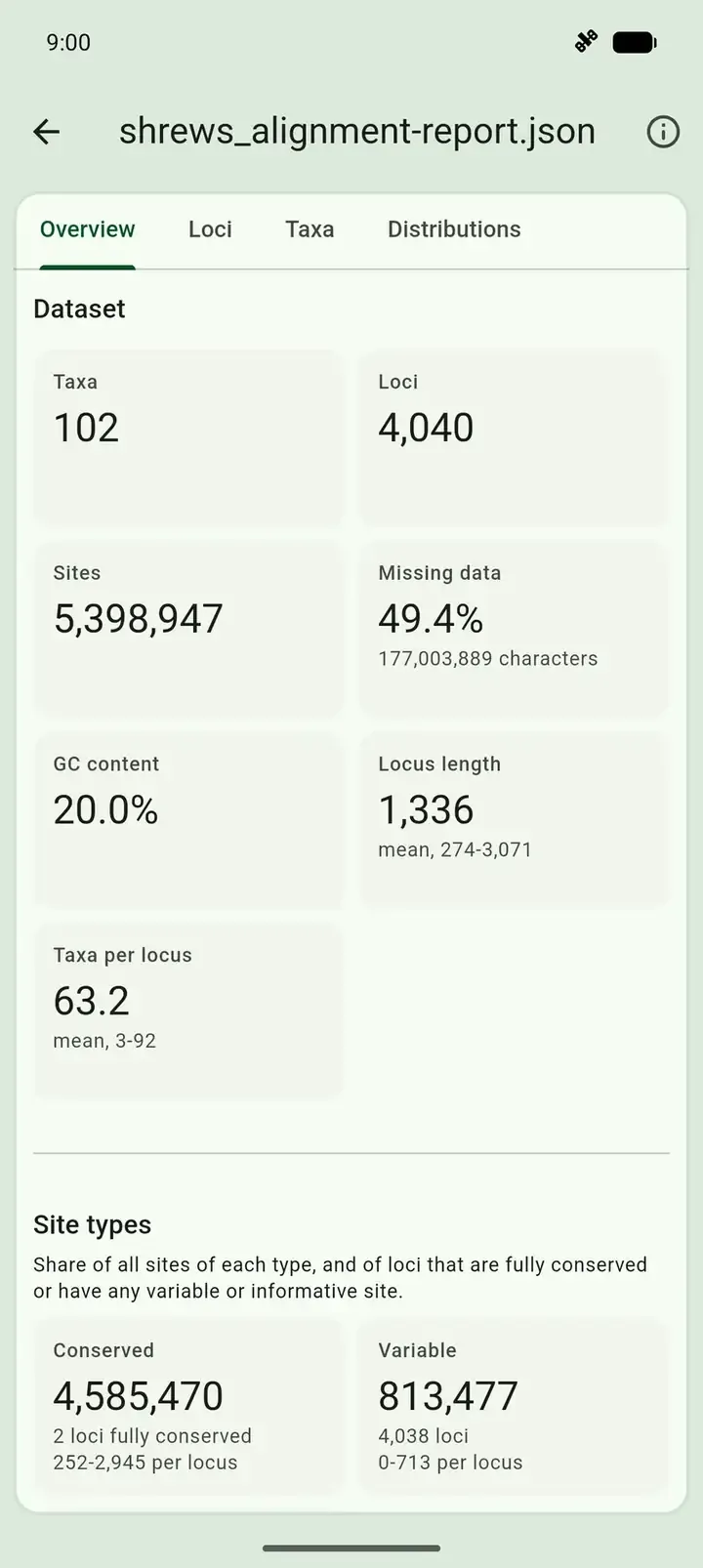
Section titled “Read the report”The Overview tab should show these numbers:
| Statistic | Value |
|---|---|
| Taxa | 102 |
| Loci | 4,040 |
| Sites | 5,398,947 |
| Missing data | 49.4% |
| Locus length | 274 to 3,071 bp, mean 1,336 bp |
| Taxa per locus | 3 to 92, mean 63.2 |
| Parsimony informative sites | 248,319 |
Two things stand out. Half of the matrix is missing data, and some loci have as few as 3 taxa. Scroll to the Matrix completeness chart to see what a taxon filter would keep. Touch a bar to read its value:
| Loci with at least | Loci |
|---|---|
| 90% of taxa | 2 |
| 80% of taxa | 308 |
| 75% of taxa | 983 |
| 70% of taxa | 1,895 |
| 50% of taxa | 3,274 |
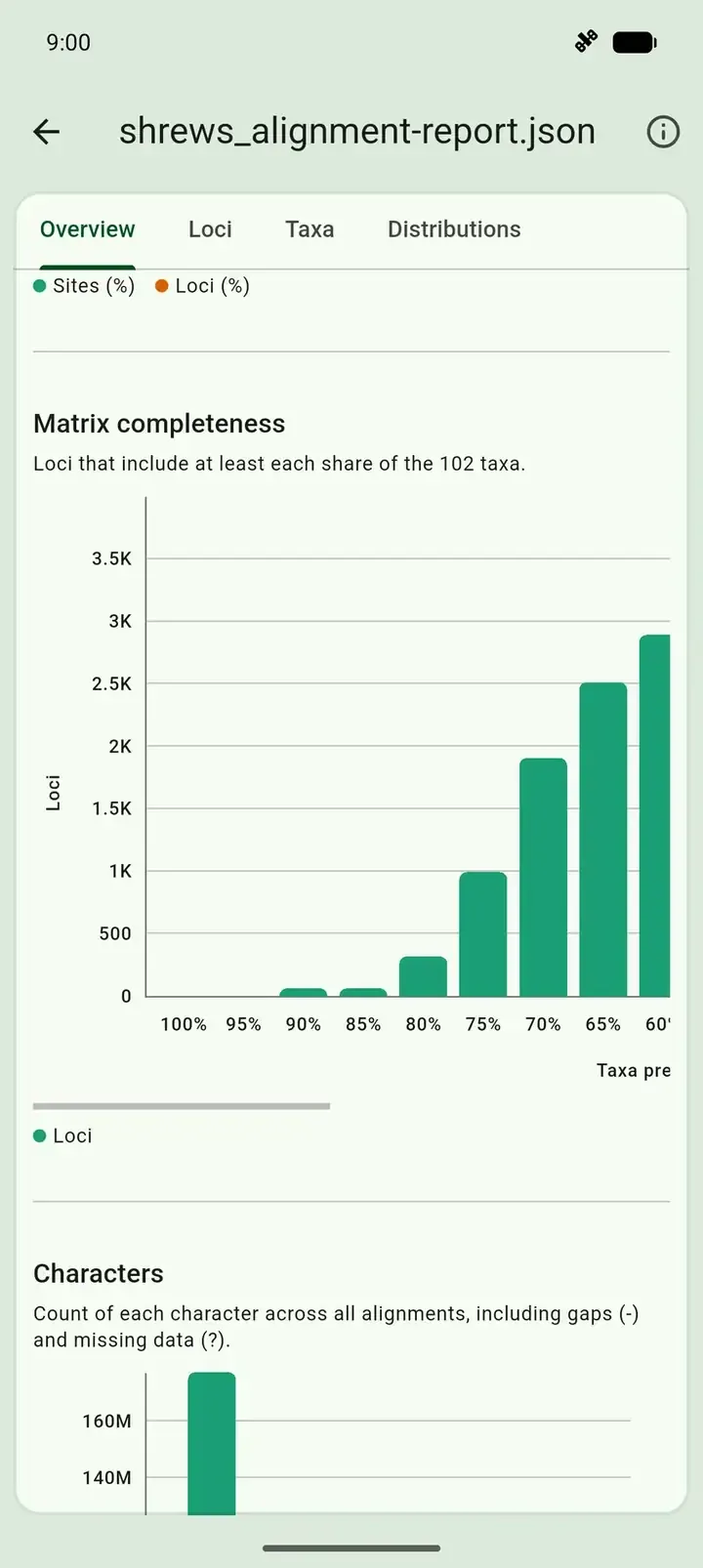
This tutorial uses 75%, which keeps 983 loci. Open the Taxa and Distributions tabs to see which taxa are missing from many loci and how locus length varies. See the alignment report guide for every tab.
3. Filter poorly sampled loci
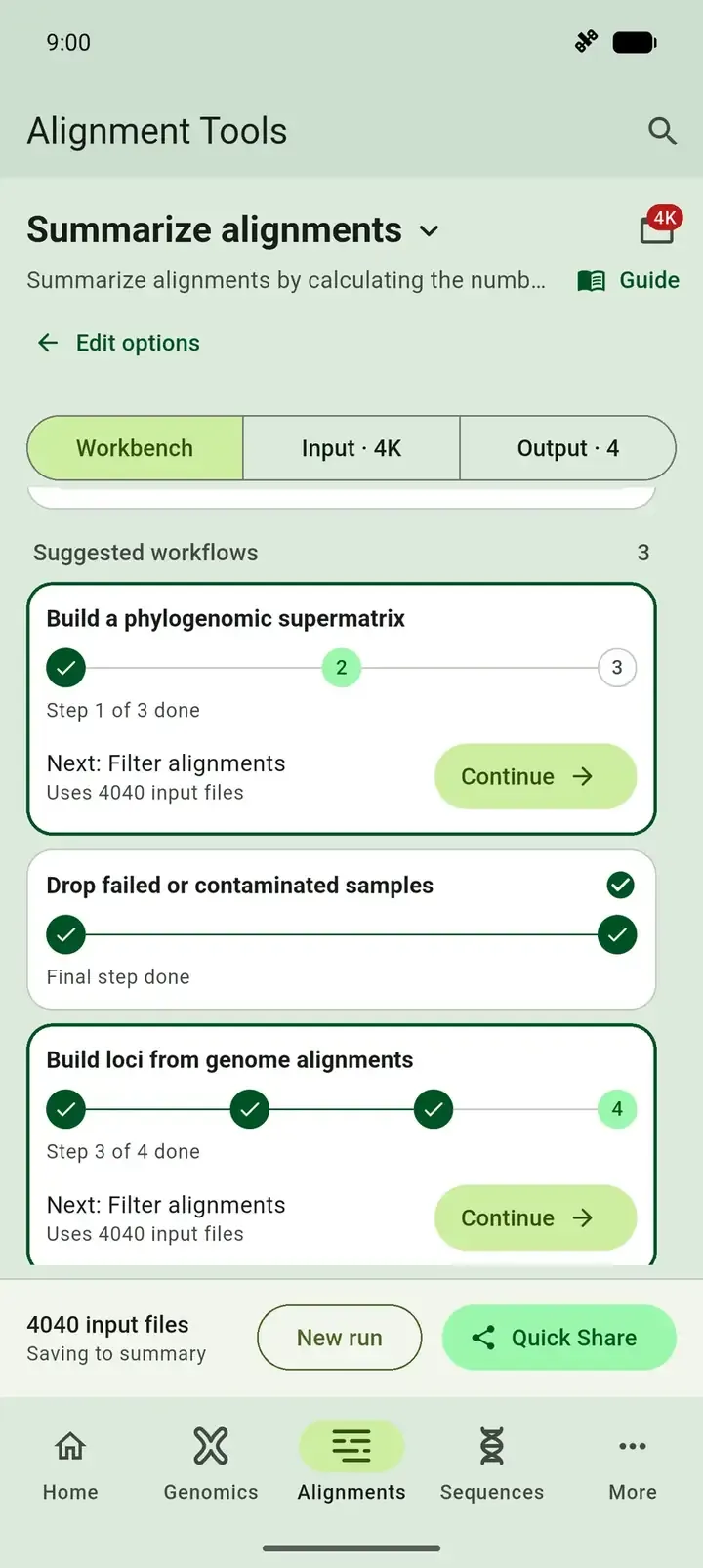
Section titled “3. Filter poorly sampled loci”- Select the back arrow to return to the Workbench tab, and scroll to Suggested workflows.
- Under Build a phylogenomic supermatrix, select Continue. SEGUI opens Filter alignments with the same 4,040 files as input.
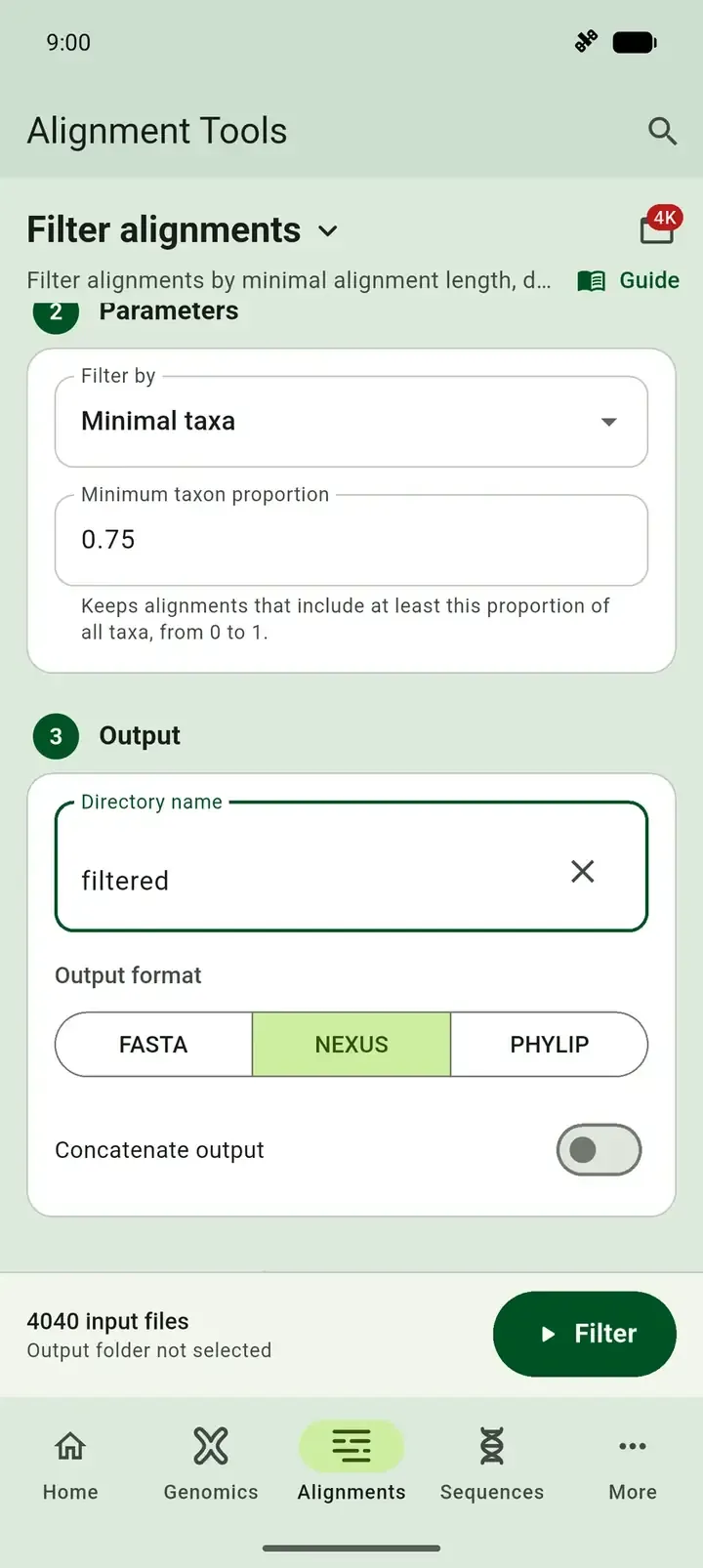
- Leave Filter by on Minimal taxa.
- Enter
0.75as the Minimum taxon proportion. - Enter a Directory name, such as
filtered. - Under Output format, select NEXUS.
- Leave Concatenate output off. You will trim the loci first.
- Select Filter.
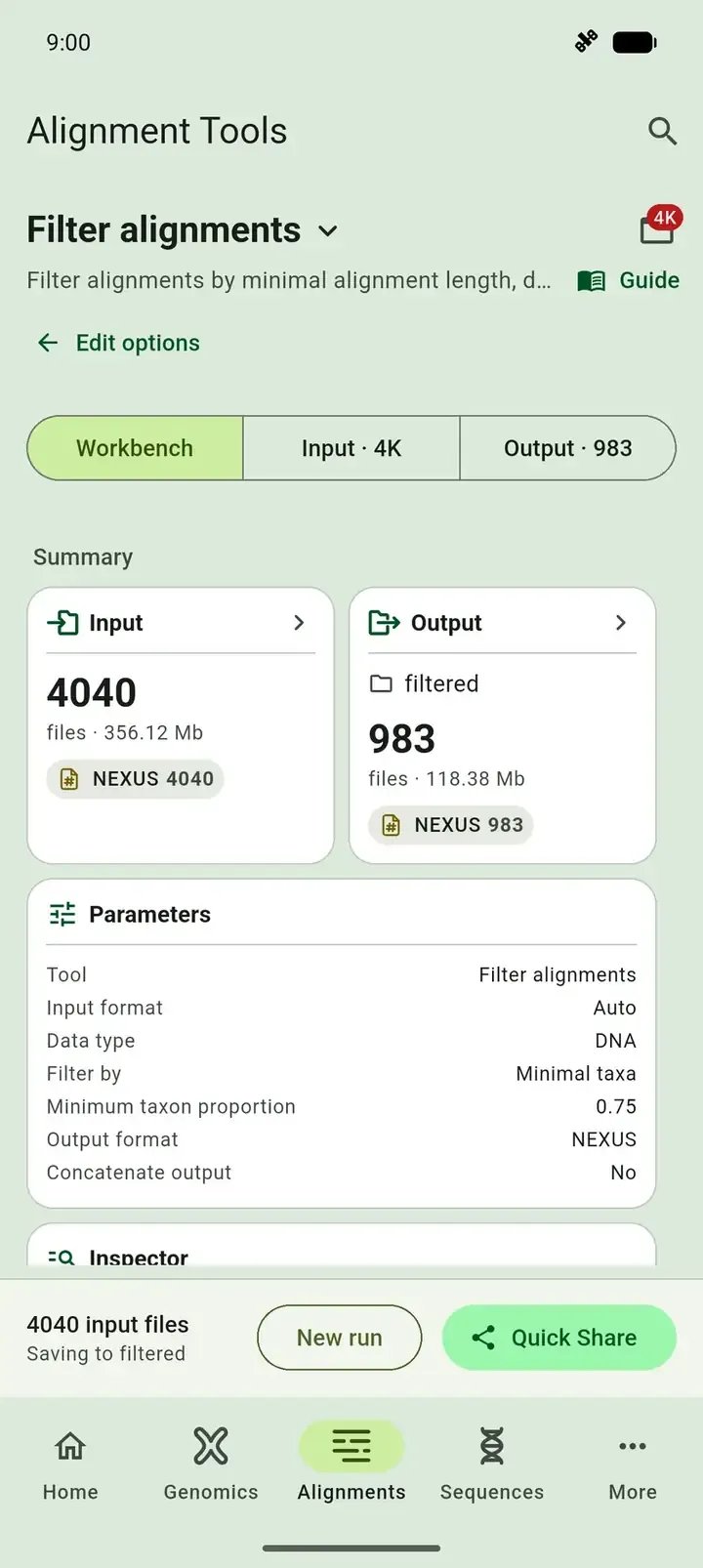
SEGUI keeps the loci with at least 76 of the 102 taxa. The output has 983 alignments with 1,504,374 sites. Missing data is still 48.38%, because the filter removes whole loci and not the gappy sites inside them.
4. Trim sites with missing data
Section titled “4. Trim sites with missing data”Trimming removes alignment columns where most samples have a gap or missing character. These columns are common at the ends of UCE alignments.
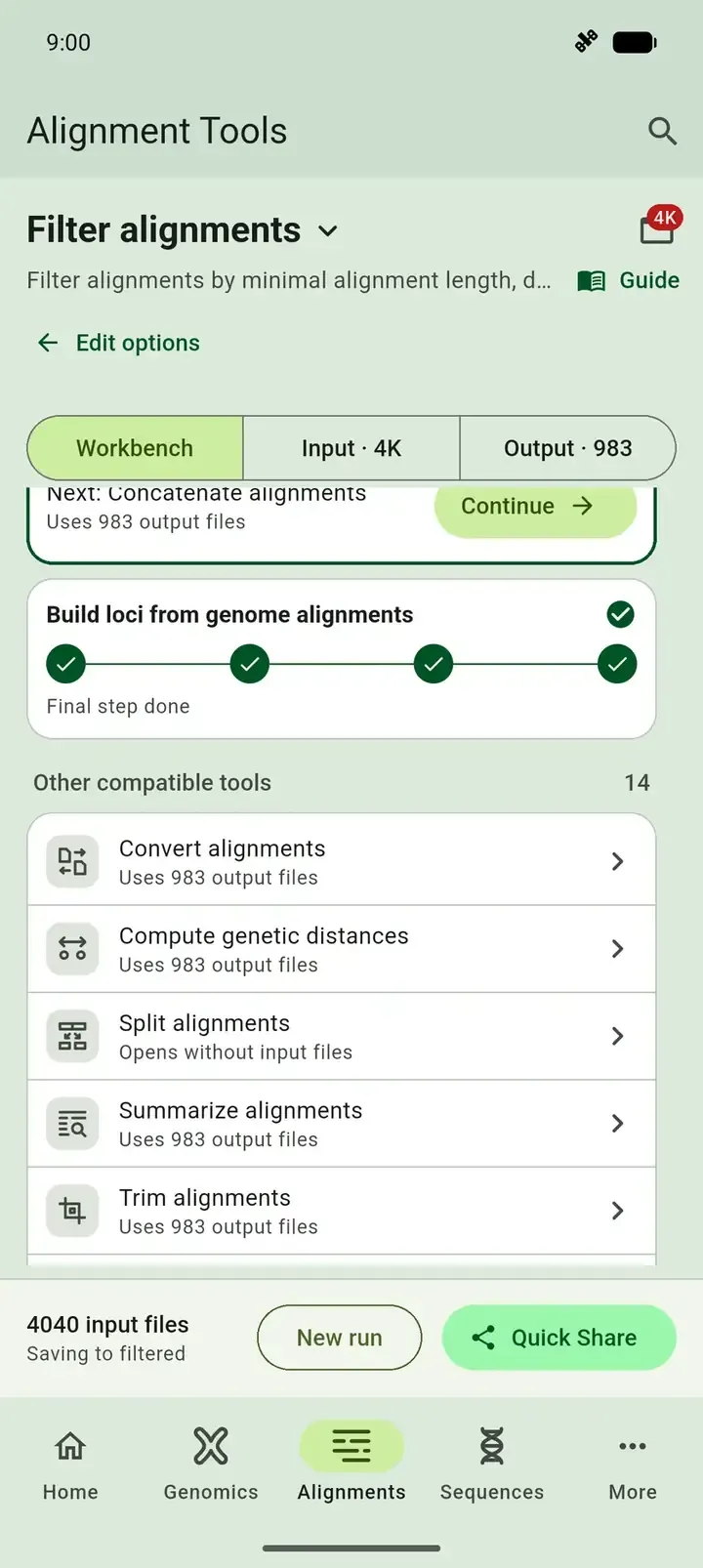
- In the Workbench tab, scroll to Other compatible tools and select Show more.
- Select Trim alignments. SEGUI passes the 983 filtered alignments to it.
- Leave Trim by on Maximal missing data per site.
- Enter
0.5as the Maximum missing data. SEGUI keeps a site when at most half of the samples are missing there. - Enter a Directory name, such as
trimmed. - Under Format, select NEXUS.
- Select Trim.
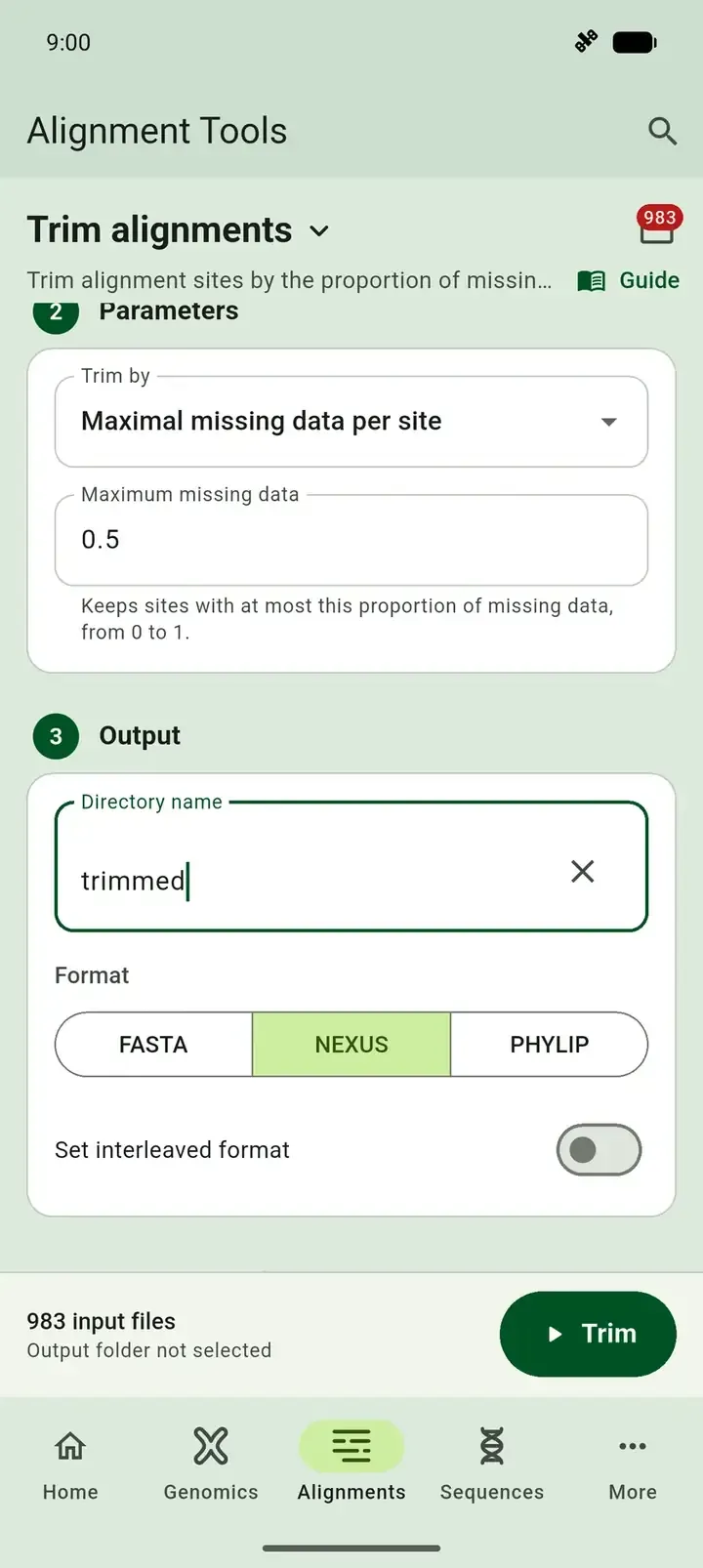
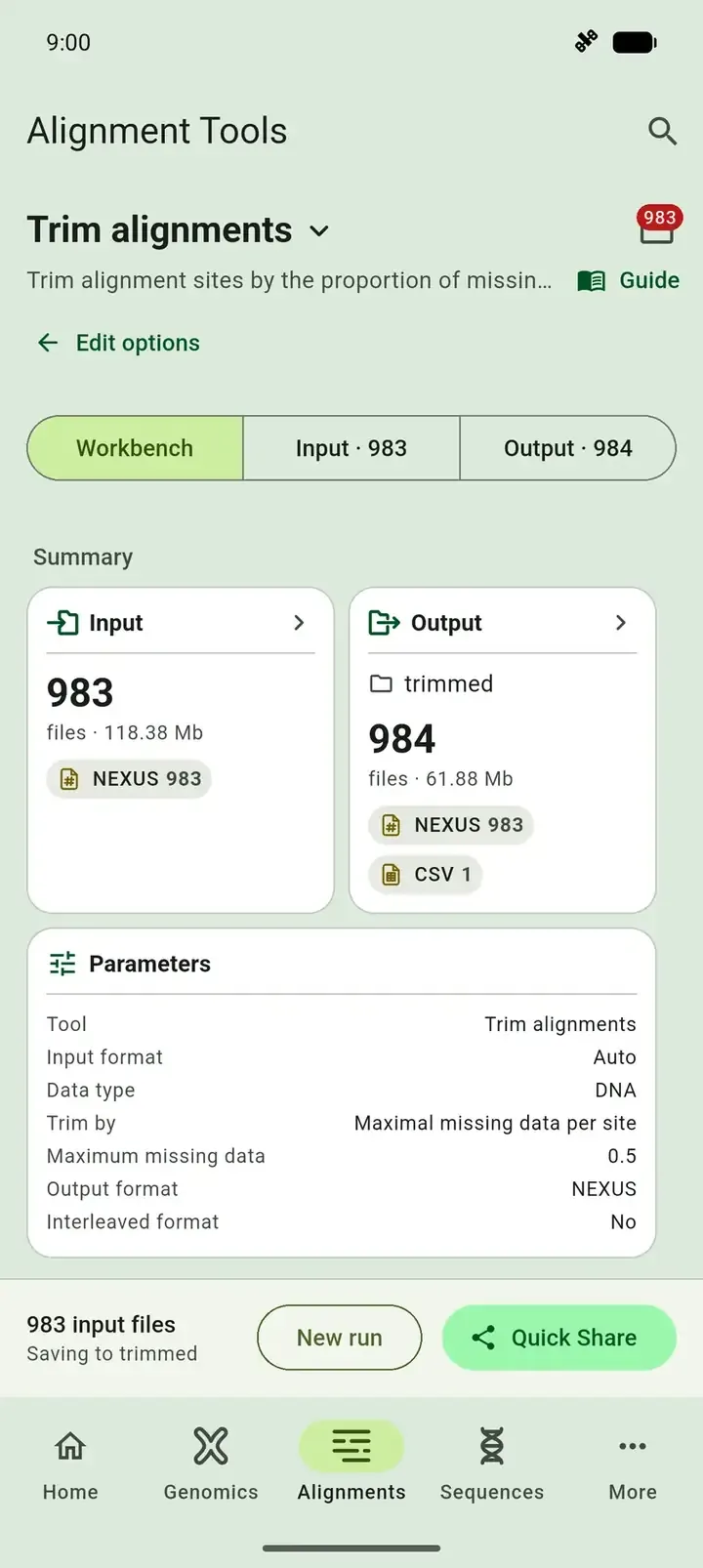
The output has 983 trimmed alignments and trimming_summary.csv, which lists the sites of each locus before and after trimming. Open it from the Output tab to sort it in the table viewer.
| Before trimming | After trimming | |
|---|---|---|
| Loci | 983 | 983 |
| Sites | 1,504,374 | 756,449 |
| Missing data | 48.38% | 13.55% |
5. Build the supermatrix
Section titled “5. Build the supermatrix”- In the Workbench tab, scroll to Other compatible tools and select Concatenate alignments. SEGUI passes the 983 trimmed alignments to it.
- Enter a Directory name, such as
supermatrix. - Enter a Prefix, such as
shrews. It names the output files. - Under Format, select PHYLIP.
- Under Partition Format, select RaXML.
- Select Concatenate.
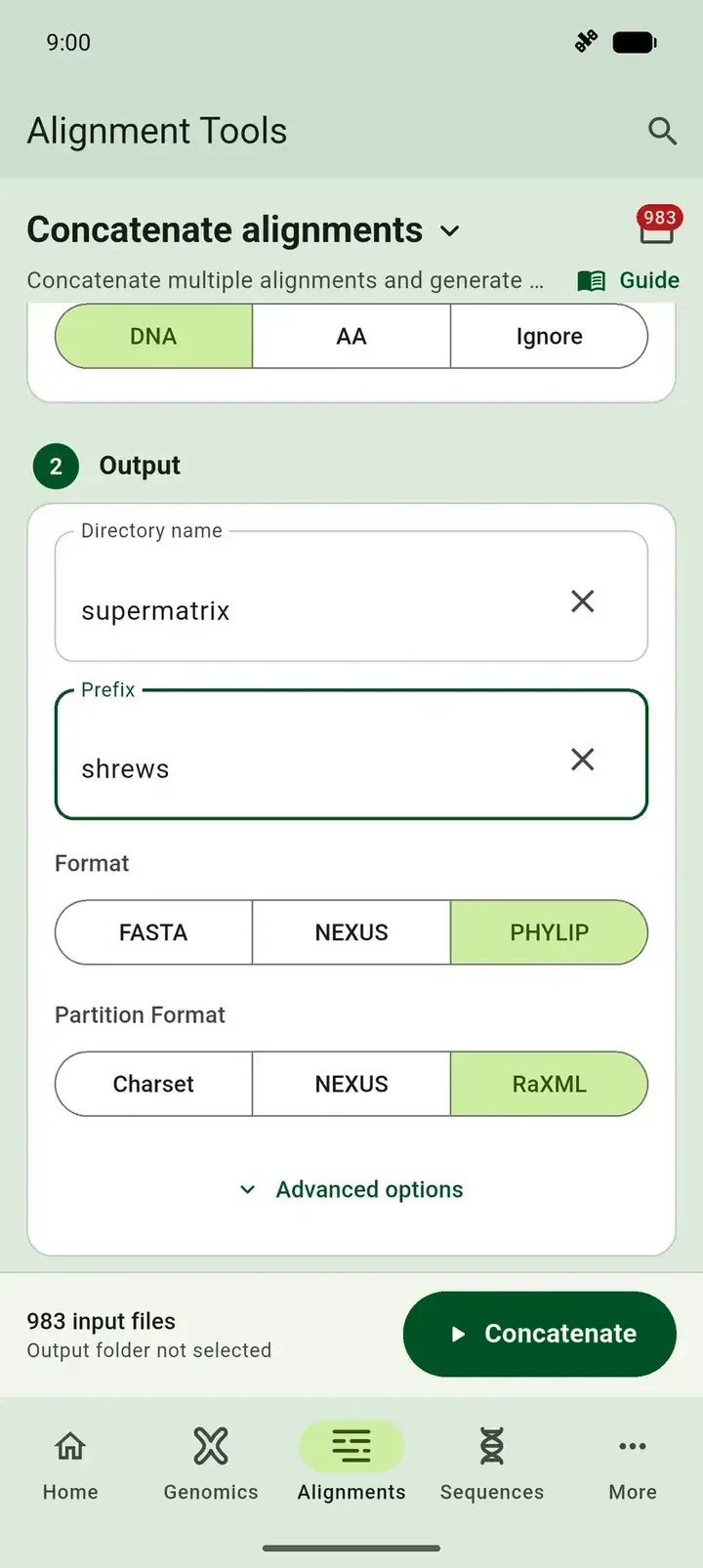
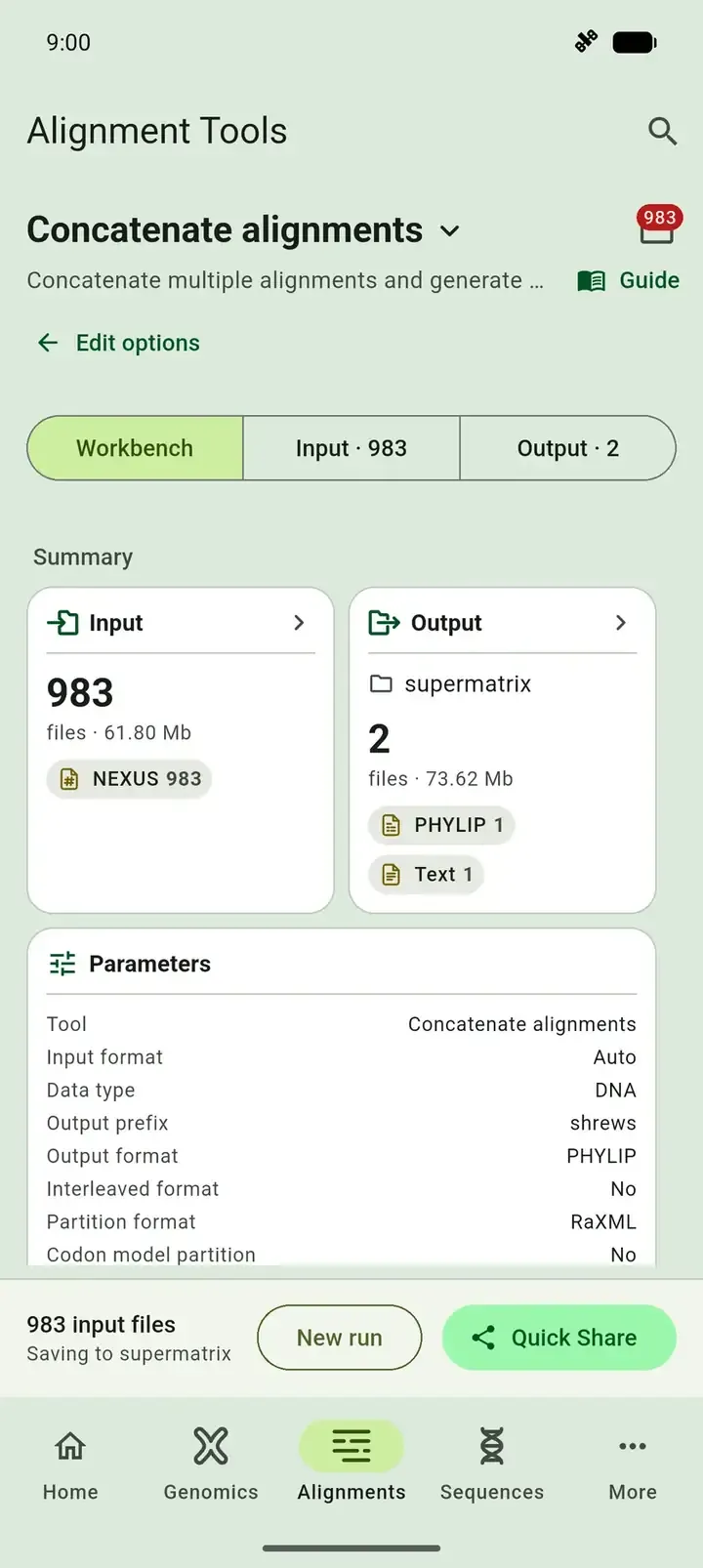
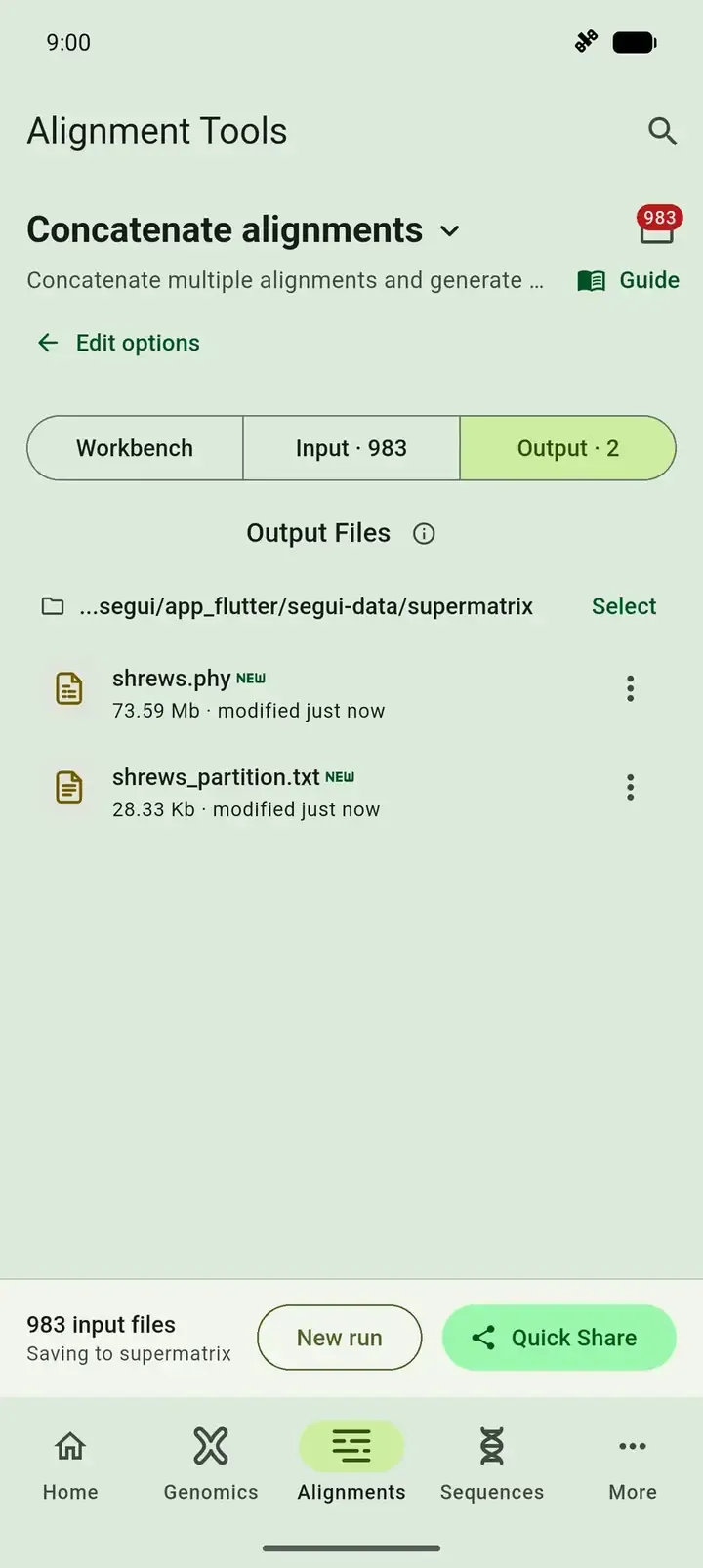
The Output tab lists two files:
shrews.phy: the supermatrix, with 102 taxa and 756,449 sites. It is about 74 MB.shrews_partition.txt: the position of each of the 983 loci, such asDNA, uce-2 = 1-765.
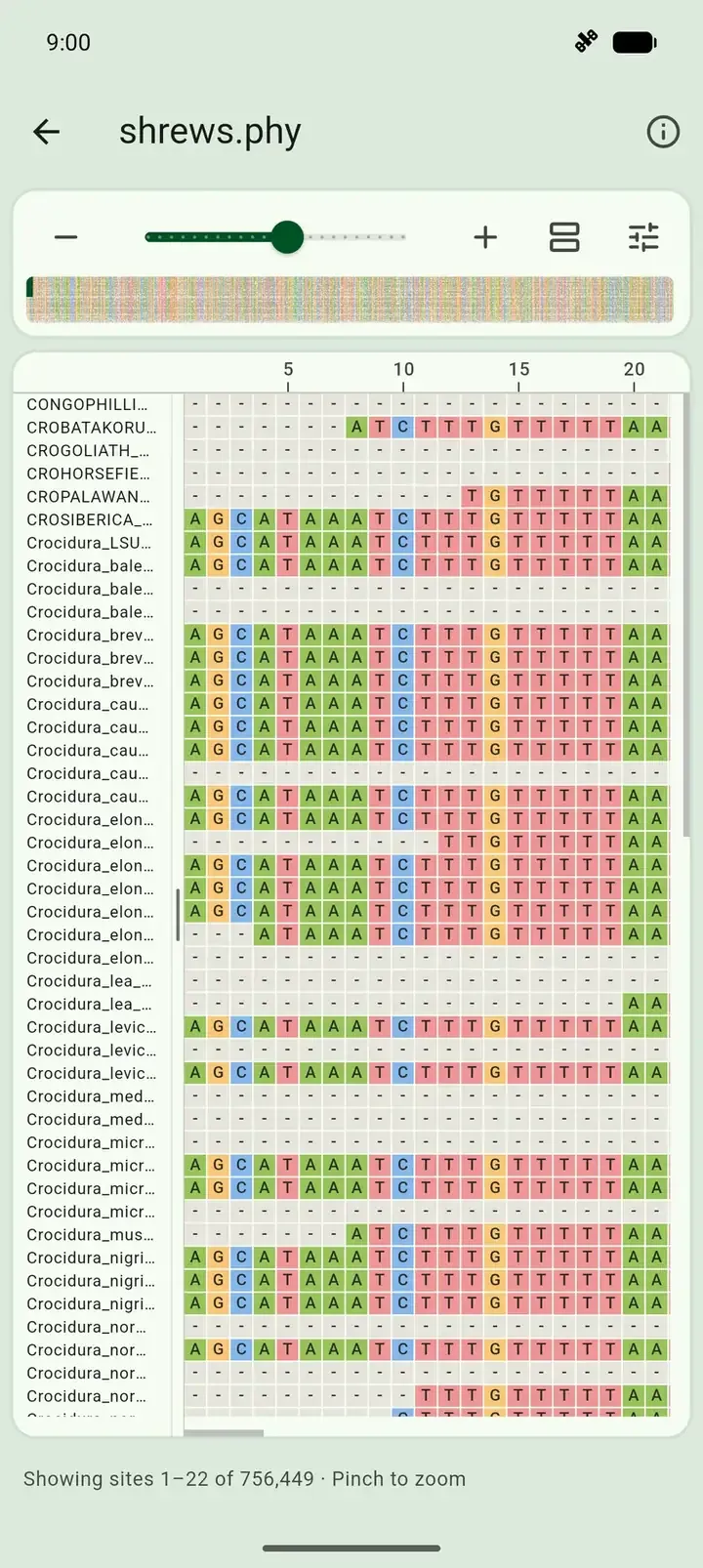
To check the result, tap shrews.phy. The alignment viewer loads large alignments in parts, so it opens on a phone. The line under the grid should read Showing sites 1–22 of 756,449.
6. Get the files off your phone
Section titled “6. Get the files off your phone”On phones, SEGUI saves output in its own folder. To use the supermatrix elsewhere, such as for tree inference on a cluster:
Select the back arrow to leave the viewer.
Select Quick Share. SEGUI compresses the output into
supermatrix.zipand opens the share sheet.Pick a destination:
Choose an app such as Drive or Gmail, or Quick Share to send it to a nearby device.
Choose Save to Files, AirDrop, or a cloud drive app.

To save an archive to a folder instead, use Select and Export in the Output tab. See exporting output.
What you did
Section titled “What you did”| Step | Tool | Loci | Sites | Missing data |
|---|---|---|---|---|
| Start | Summarize alignments | 4,040 | 5,398,947 | 49.43% |
| Filter | Filter alignments, minimal taxa 0.75 | 983 | 1,504,374 | 48.38% |
| Trim | Trim alignments, missing data 0.5 | 983 | 756,449 | 13.55% |
| Concatenate | Concatenate alignments | 1 supermatrix | 756,449 | 13.55% |
The same workflow runs from the command line with segul align summary, filter, trim, and concat, and gives the same numbers.