
To map the distribution of samples across a dataset.
- Select
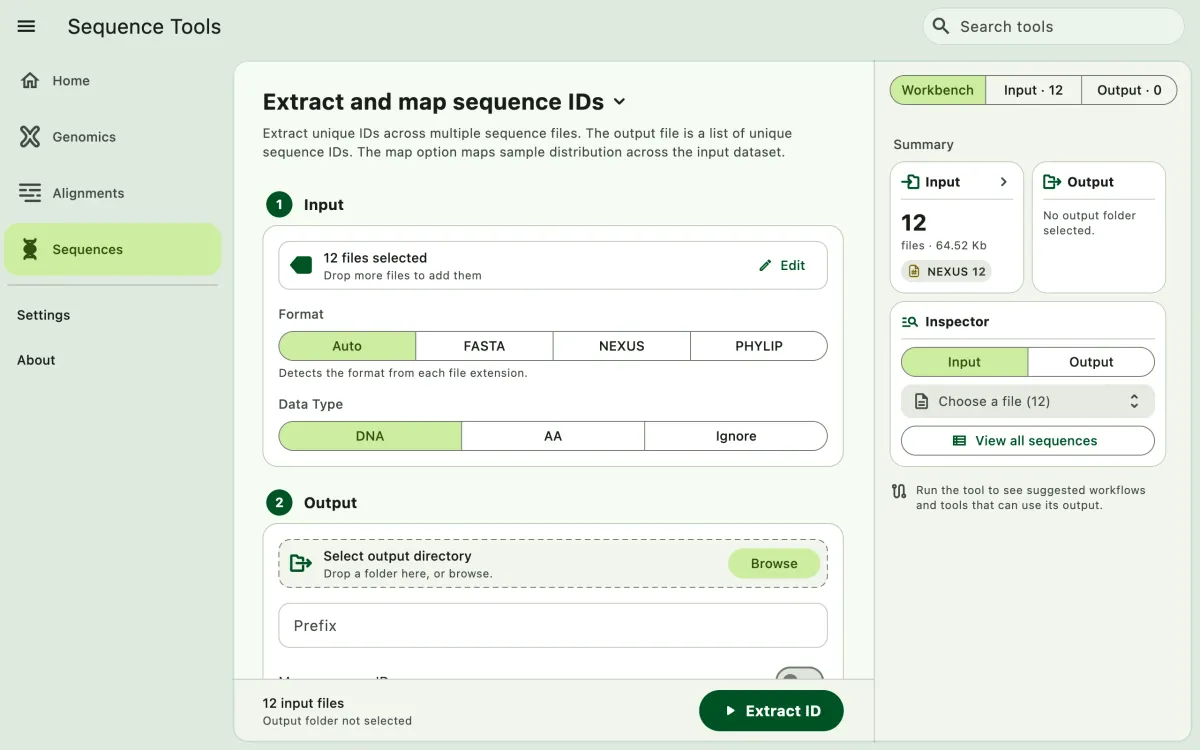
Sequencesin the navigation bar A. - Open
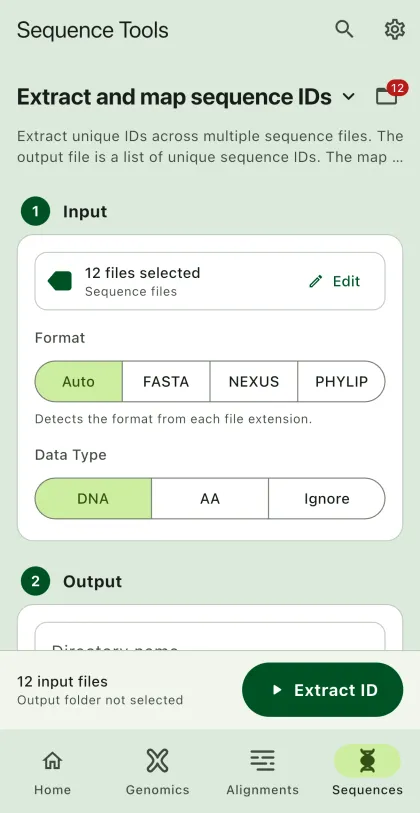
Extract and map sequence IDsfrom the tool list on wide windows, or select the tool name B at the top of the page to switch tools. - Add the input files C with
Browse files,Browse folder, orOpen archive. SEGUI searches a folder and its subfolders for files that match the tool's input format. See file input for mobile options. - Select
BrowseunderSelect output directoryto choose the output folder. On phones and tablets, enter aDirectory nameinstead; SEGUI saves it in the app's own folder. - Add prefix for the output files.
- Turn on
Map sequence ID(important). - Select the run button D, labeled
Extract ID, to start the task.
Output
Section titled “Output”The app will generate two files:
- Unique IDs: A list of unique IDs in your dataset (default name:
id.txt). - ID Map: A csv file containing the distribution of your samples presented in TRUE/FALSE values across your alignments (default name:
id_map.txt)
ID map file will look like as below:
| Alignments | sequence_1 | sequence_2 | sequence_3 |
|---|---|---|---|
| locus_1 | TRUE | FALSE | TRUE |
| locus_2 | TRUE | TRUE | TRUE |
| locus_3 | FALSE | FALSE | TRUE |