
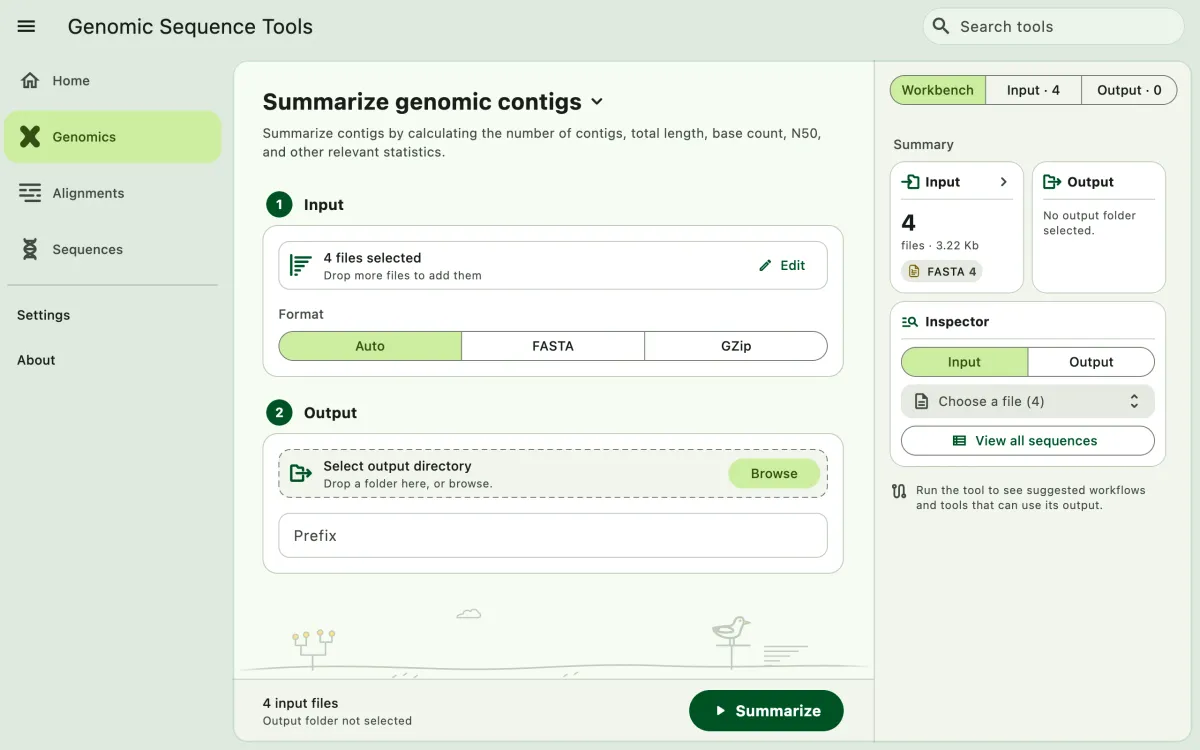
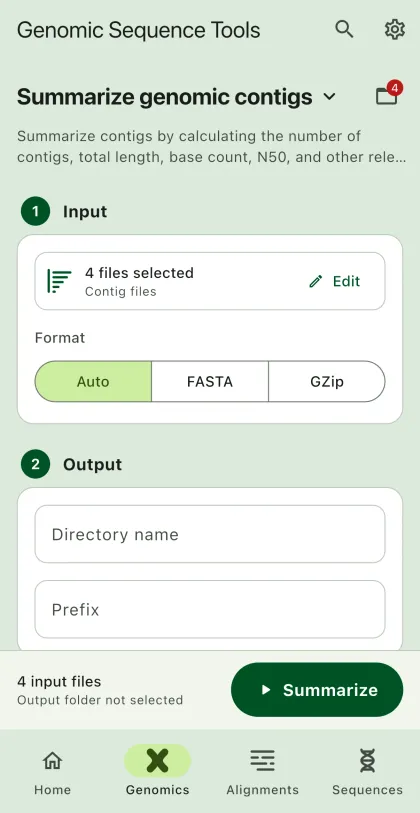
Summarize assembled contigs in FASTA format, plain or compressed, such as contig counts, lengths, and N50. For raw reads, see Genomic Read Summary.
- Select
Genomicsin the navigation bar A. - Open
Summarize genomic contigsfrom the tool list on wide windows, or select the tool name B at the top of the page to switch tools. - Add the input files C with
Browse files,Browse folder, orOpen archive. SEGUI searches a folder and its subfolders for files that match the tool's input format. See file input for mobile options. - The
Inputtab of the file panel E lists the input files. On phones and narrow windows, open it with the files button next to the tool name. To remove files from the list, chooseSelect, pick the files, and selectRemove. The files stay on your device. - Select
BrowseunderSelect output directoryto choose the output folder. On phones and tablets, enter aDirectory nameinstead; SEGUI saves it in the app's own folder. - Select the run button D, labeled
Summarize, to start the task. - Export or share the output (optional). See exporting output.
Available statistics for contiguous sequences
Section titled “Available statistics for contiguous sequences”- Contig count
- Base count
- Nucleotide
- GC content
- AT content
- Minimum contig length
- Maximum contig length
- Mean contig length
- Median contig length
- N50
- N75
- N90
- Contig 750 bp
- Contig 1000 bp
- Contig 1500 bp
- Cumulative length
- A, C, G, T, N counts