
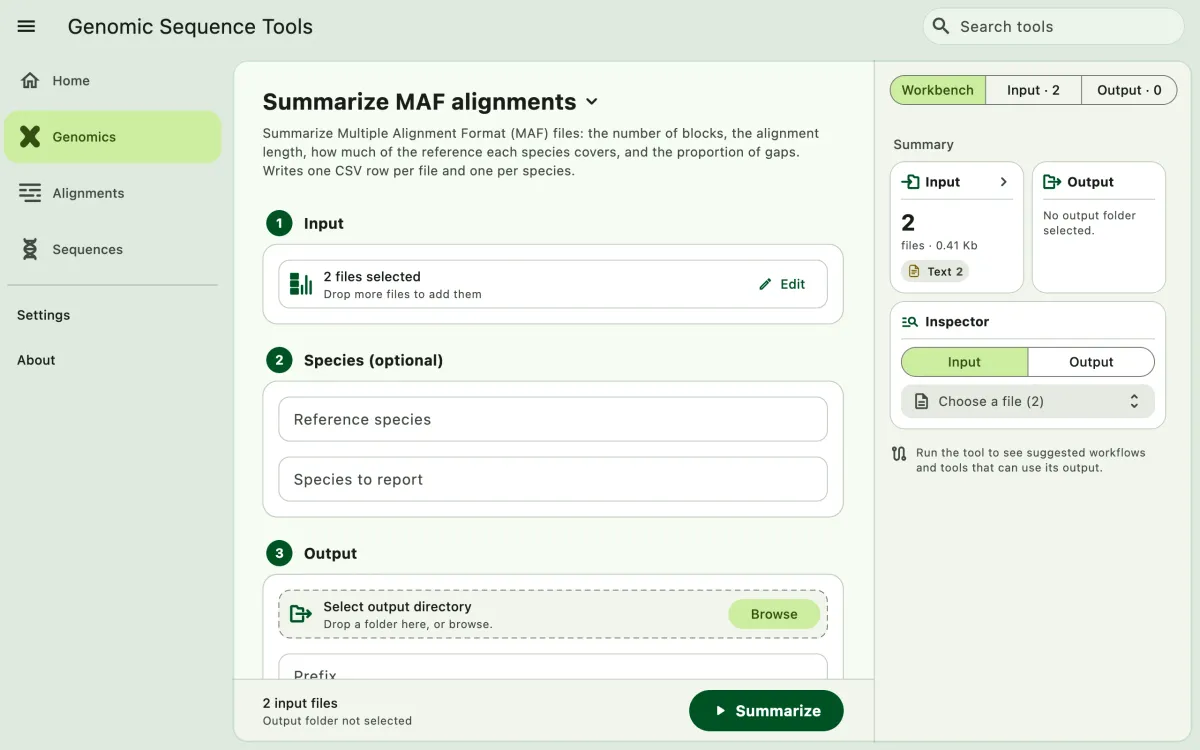
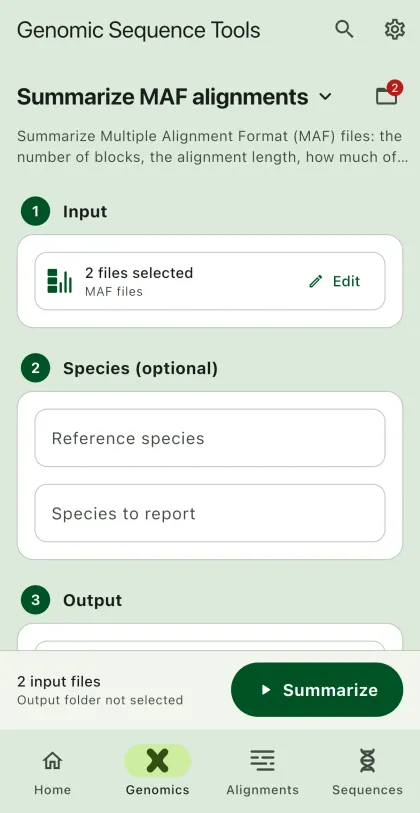
Summarize Multiple Alignment Format (MAF) files: the number of blocks, the alignment length, how much of the reference genome each species covers, and the proportion of gaps.
- Select
Genomicsin the navigation bar A. - Open
Summarize MAF alignmentsfrom the tool list on wide windows, or select the tool name B at the top of the page to switch tools. - Add the MAF files C with
Browse files,Browse folder, orOpen archive. SEGUI searches a folder and its subfolders for files that match the tool's input format. See file input for mobile options. - Set the reference species or the species to report (optional). By default, the reference is the species of the first sequence in the first block, and every species is reported.
- Select
BrowseunderSelect output directoryto choose the output folder. On phones and tablets, enter aDirectory nameinstead; SEGUI saves it in the app's own folder. - Add a prefix for the output files (optional). The default is
maf_summary. - Select the run button D, labeled
Summarize, to start the task.
Output
Section titled “Output”The app writes two CSV files, which you can open in the app's table viewer:
- Per file (
maf_summary_per_file.csv): one row per MAF file with the number of blocks and species, the alignment length, the reference bases covered, the mean block score, and the proportion of gaps. - Per species (
maf_summary_per_species.csv): one row per species in each file with the number of blocks it appears in, its bases and gaps, and the share of reference bases it covers. With more than one file, rows with the pathallcombine every file.
See the CLI guide for a description of every column.